In the blue corner
TopSelfHost
Discover and compare self-hosted software for your own server
Directories, Launch & Discovery
A directory and guide to self-hosted open-source software you can run on your own server, with project links, platform details, and deployment guides.
About TopSelfHost
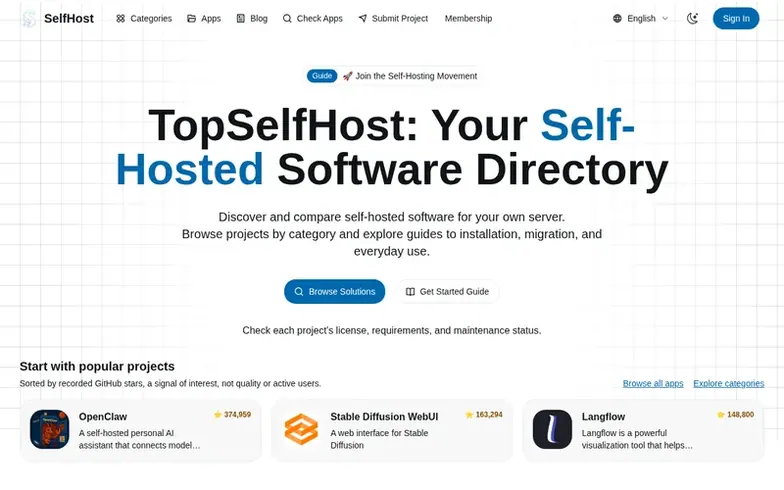
TopSelfHost is an independent directory and editorial website for discovering and comparing self-hosted open-source software. The site combines a searchable directory of applications across categories like productivity, communication, media, development, and specialized tools, with editorial guides for installation, configuration, and migration. Users can browse projects by category, check license terms and maintenance status, and compare deployment requirements before running software on their own servers. The directory information comes from public sources and includes project links, platform details, version information, and activity signals. TopSelfHost does not provision or manage the applications themselves.
Where it stands out
- Searchable directory of self-hosted applications
- Browse by category and metadata
- Check license and maintenance status
- Search and sort by GitHub stars or listing date
- Editorial guides for installation and migration
- Direct links to official documentation
TopSelfHost vs alternatives
Same attributes, side by side| Attribute | TopSelfHost |  Submit Your Startup Submit Your Startup |  PropFirm Key PropFirm Key |  Pymzo Pymzo |
|---|---|---|---|---|
| Category | Directories, Launch & Discovery | Directories, Launch & Discovery | Directories, Launch & Discovery | Directories, Launch & Discovery |
| Stage | – | – | – | – |
| Founded | – | – | – | – |
| Based in | – | – | United Kingdom | United States |
| DR | 0 | 26 | 6 | 5 |
| Community votes | 0 | 0 | 0 | 0 |
| Verified |
Questions
- How are projects sourced, ranked, and kept up to date?
- Directory entries use public project and application sources. Apps can be sorted by GitHub stars or listing date. Stars indicate popularity rather than a security audit. Listings may lag behind upstream changes, so check official repositories before deploying.
- Is self-hosting private and secure?
- Self-hosting gives you more control over where data is stored, but does not automatically make a service private or secure. You should review external integrations, restrict access, use strong authentication, and keep the app and operating system updated.
- How should I handle backups and updates?
- Back up the database, uploaded files, and configuration needed to restore the application. Keep a protected copy separate from the server and test restoration. Read release notes before upgrades and create a recovery plan for changes affecting stored data.
TopSelfHost has a free listing. The owner can unlock the full profile with a paid launch for $5:
- Founder story (locked)
- Milestones (locked)
- Demo video (locked)
- Dofollow website link (locked)