
In the blue corner
Susumi
Kanban that reads your code
Task & project management
A kanban board with an AI assistant that understands your code, proposes changes, and integrates with AI tools through an MCP server.
About Susumi
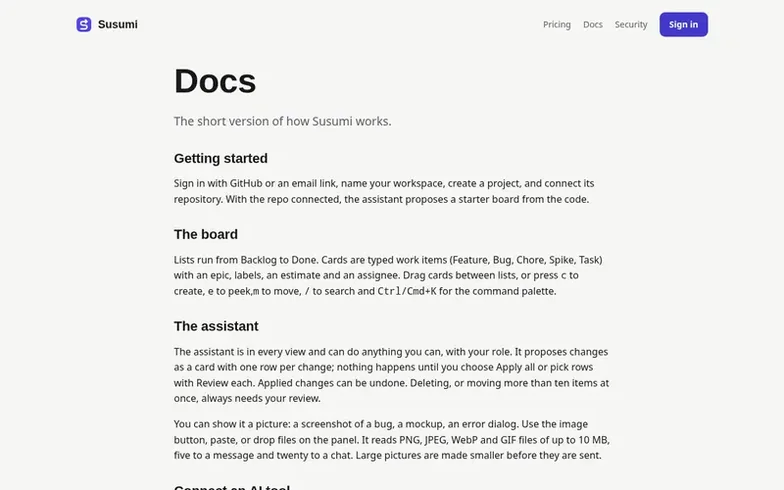
Susumi is a kanban board designed for software development teams. It organizes work into typed items (Feature, Bug, Chore, Spike, Task) with epics, labels, estimates and assignees, and connects to GitHub repositories to index code and sync pull requests and branches.
The built-in AI assistant operates throughout every view and can perform actions with your permissions. It proposes changes as cards for review, reads images up to 10 MB (PNG, JPEG, WebP, GIF), and integrates with external AI tools such as Claude Code, Claude Desktop and Cursor through a hosted MCP server that allows them to read boards and move items.
All data is hosted in the EU. The workspace-level AI credits system charges 1 credit per request, 1 per attached image, 5 for repo analysis, and 25 for agent pull-request drafts, resetting monthly. Accounts can export data as JSON and disconnect repositories or connected tools at any time.
Where it stands out
- Typed work items (Feature, Bug, Chore, Spike, Task) with epics, labels, estimates and assignees
- AI assistant in every view that can perform actions with user review
- Image recognition for bugs, mockups and error dialogs
- MCP server integration with Claude Code, Claude Desktop and Cursor
- GitHub repository indexing and sync for branches and pull requests
- Keyboard shortcuts for quick actions
- Workspace-level AI credits system
- Data hosted in the EU with export and deletion options
- Role-based permissions for workspace members
- Activity history recording for all changes and tool connections
Susumi vs alternatives
Same attributes, side by side| Attribute | Susumi |  Weft |  Coavon |
|---|---|---|---|
| Category | Task & project management | Task & project management | Task & project management |
| Stage | MVP | – | – |
| Founded | – | – | – |
| Based in | – | Brazil | – |
| DR | 0 | 40 | 0 |
| Community votes | 0 | 1 | 0 |
| Verified |
Questions
- What image formats and file sizes does the assistant accept?
- The assistant reads PNG, JPEG, WebP and GIF files of up to 10 MB, up to five per message and twenty per chat.
- How do I connect an external AI tool like Claude or Cursor?
- Add the Susumi MCP server URL to your AI tool's configuration. No installation is required. The first time the tool uses the server it opens Susumi in your browser to sign in and authorize access.
- What actions can a connected AI tool perform?
- Connected tools can read projects, boards, items, epics and activity in every workspace you belong to, and move items between lists or change their position, with your role. They cannot create, edit or delete anything, and viewers cannot move items.
- How do AI credits work?
- Credits belong to the workspace and reset monthly. A request costs 1 credit, each attached image costs 1 credit, repo analysis costs 5 credits, and an agent pull-request draft costs 25 credits. When credits run out the assistant pauses unless auto top-up is enabled.
- Can I delete my account and export my data?
- Yes, you can delete your account at any time and export your data as JSON from the account menu. Disconnecting a repository deletes its code index.
Susumi has a free listing. The owner can unlock the full profile with a paid launch for $5:
- Founder story (locked)
- Milestones (locked)
- Demo video (locked)
- Dofollow website link: not on this free listing (its website link is nofollow)