In the blue corner
PupilBot
AI study app that turns your notes into quizzes and flashcards with spaced repetition
EdTech for schools
PupilBot converts handwritten notes, slides and PDFs into adaptive quizzes and flashcards, using spaced repetition to ensure knowledge is retained before exams.
About PupilBot
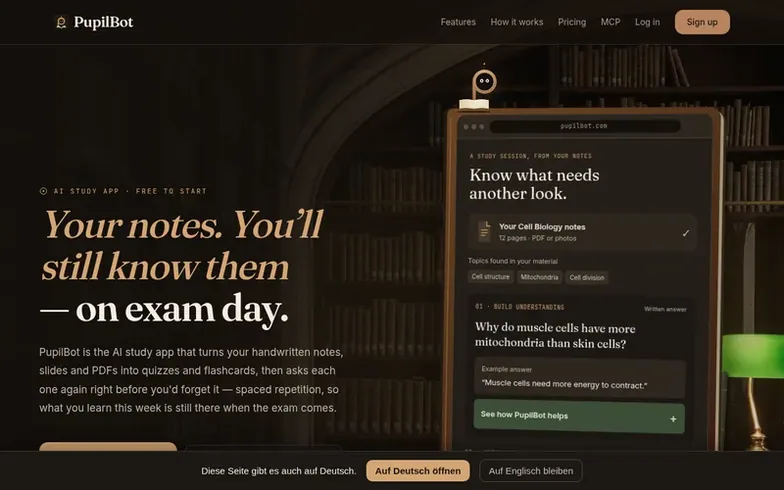
PupilBot is an AI study tool that helps students learn more effectively by converting their notes into quizzes and flashcards. Users can photograph handwritten notes, upload slides, or import PDFs, and the app's AI automatically generates questions in multiple formats: single-choice, multiple-choice, flashcards, fill-in-the-blank, matching, numeric, and voice-recorded answers.
The app uses spaced repetition scheduling to bring review questions back at the optimal moment before they're forgotten, combined with Bayesian Knowledge Tracing to estimate mastery per topic. Students can practice in their web browser or connect Telegram for review reminders between study sessions.
PupilBot offers a native iPhone app and allows integration with AI assistants like ChatGPT and Claude through its MCP server. The first study is free with a 3-page limit; Premium subscribers get up to 50 pages per study with 5 daily uploads.
Where it stands out
- Photograph or import notes and PDFs to generate study materials
- Six question formats: single-choice, multiple-choice, flashcards, fill-in-the-blank, matching, numeric, and voice answers
- Adaptive difficulty that adjusts question hardness based on performance
- FSRS-6 spaced repetition scheduling to optimize review timing
- Native iPhone app with OCR and camera integration
- Connect Telegram for review reminders between study sessions
- Integration with ChatGPT and Claude via MCP server
- AI-graded answers for meaning, not just exact matching
- Topic mastery tracking with Bayesian Knowledge Tracing
- Up to 50 pages per study and 50 uploads per month on Premium
Pricing
Pricing model: Freemium
Free: first study up to 3 pages, adaptive questions, spaced repetition, browser and Telegram practice. Premium: 5 study uploads per day, 50 per month, up to 50 pages per study.
PupilBot vs alternatives
Same attributes, side by side| Attribute | PupilBot |  Hello Bedside by NurseKind |
|---|---|---|
| Category | EdTech for schools | EdTech for schools |
| Stage | – | – |
| Founded | – | – |
| Based in | – | United States |
| DR | 11 | 4 |
| Community votes | 0 | 0 |
| Verified |
Questions
- How do I upload and use my study materials?
- You can photograph pages one at a time with even lighting filling most of the frame, holding the camera flat to the page. Alternatively, you can load a PDF and select individual pages, ranges, or entire chapters. Your first study is free up to 3 pages; Premium allows up to 50 pages per study.
- How does PupilBot decide when to show me review questions?
- PupilBot uses FSRS-6 spaced repetition scheduling to track when each question is fading from your memory and brings it back at the moment you'd start to forget. Bayesian Knowledge Tracing estimates your mastery per topic to determine what still needs work.
- Can I use Telegram to get review reminders?
- Yes. You can connect your PupilBot account to Telegram by opening the Connect tab in the dashboard and following the linking code. The bot will ask you questions in chat whenever a review comes due.
- What happens if my photo of notes doesn't read clearly?
- Photograph one page at a time with even lighting, fill most of the frame, and hold the camera flat to the page. Handwriting reads best when the strokes are dark and the page isn't curled. For PDFs, ensure scans are clean and straight.
- How do I cancel my subscription?
- If you subscribed on the web, go to Settings → Manage subscription to open the Stripe portal. If you subscribed in the iPhone app, open the App Store, tap your profile, then Subscriptions.
PupilBot has a free listing. The owner can unlock the full profile with a paid launch for $5:
- Founder story (locked)
- Milestones (locked)
- Demo video (locked)
- Dofollow website link (locked)