
In the blue corner
Clipdiv
AI tool that transforms long videos into scored vertical clips with captions and speaker framing
Video generation
Paste a stream or video link to get ten captioned vertical clips, each scored with reasons why the moment works and framed on the speaker.
About Clipdiv
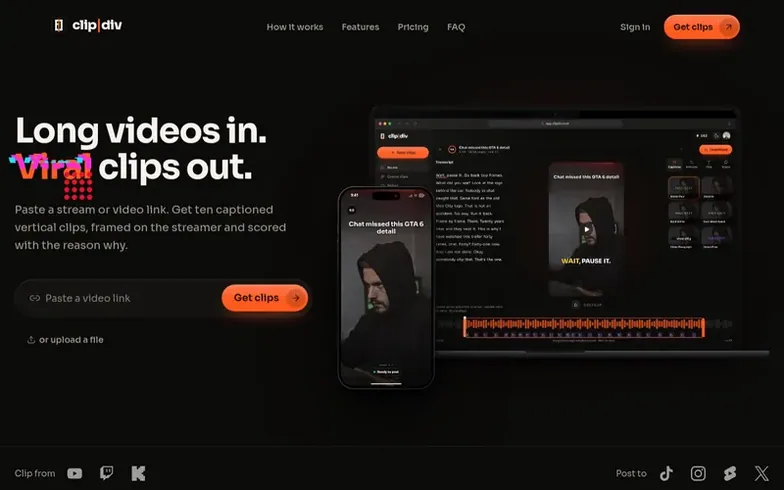
Clipdiv is an AI video editing tool that automatically generates vertical clips from long-form video content. Users paste a link or upload a video from Twitch, Kick, YouTube or podcasts, and the tool transcribes it, identifies strong self-contained moments, reframes each to vertical format around the speaker, adds animated captions and hook titles, then ranks clips by score.
Each clip receives five sub-scores (hook, emotion, payoff, clarity, shareability) with an explanation of why it works, helping users post their best content first. The tool includes an editor for trimming, cropping, changing captions and titles before download.
Users typically get around ten clips per long video, with options to set a maximum between 3 and 15. Credits are consumed based on video length (about 0.65 per minute), with new accounts receiving 30 free credits.
Where it stands out
- Clip scoring with sub-scores for hook, emotion, payoff, clarity and shareability
- Word-by-word animated captions with multiple styles
- Automatic face-tracking speaker framing
- Transcript-based editing with word deletion
- Automatic generation of around ten clips per video
- Support for Twitch, Kick, YouTube and podcast links
- Editable hook titles for each clip
- Background processing with app notifications
- MP4 download for edited clips
Pricing
Pricing model: Paid
Credit-based pricing: about 0.65 credits per source minute (5 minute minimum), so an hour of video costs 39 credits. New accounts get 30 free credits for 30 days. Plans start at $12/month billed yearly (Starter: $144/year for 200 credits/month; Pro: $288/year for 500 credits/month; Creator: $708/yea
Questions
- How does Clipdiv work?
- Paste a link or upload a video. The tool transcribes it, finds the strongest self-contained moments, reframes each to vertical around the speaker, adds captions and a hook title, then ranks everything by score. You receive a notification in the app when your clips are ready.
- How many clips do I get per video?
- Usually around ten from a long video. Shorter or quieter videos give fewer. You can set a maximum between 3 and 15 before you start.
- What does the score mean?
- It estimates how well a clip will hold attention, built from sub-scores for hook, emotion, payoff, clarity and shareability. It helps you choose what to post first and is not a promise of views.
- Can I edit the clips?
- You can trim by editing the transcript, drag the crop, switch caption styles, change the hook title, then download an MP4.
- Can I get a refund?
- You can get a refund within 14 days of a payment if you haven't used credits from it. If a video fails to process, its credits come back automatically.
Clipdiv has a free listing. The owner can unlock the full profile with a paid launch for $5:
- Founder story (locked)
- Milestones (locked)
- Demo video (locked)
- Dofollow website link: not on this free listing (its website link is nofollow)