
In the blue corner
Chronika
Step-by-step guide software that records tasks and turns clicks into documented procedures
Developer Tools
Chronika records tasks in browsers and Windows programs, automatically converting each click into a step with a screenshot, which users can edit and share as
About Chronika
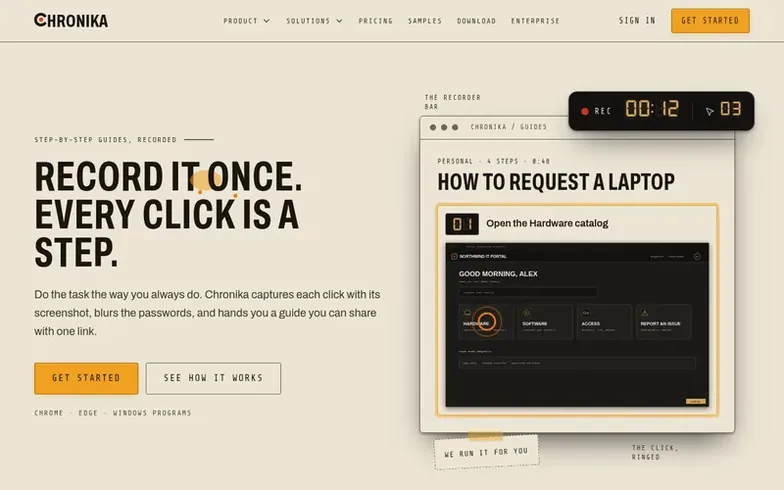
Chronika is a step-by-step guide software and process documentation tool. It records tasks performed in Chrome, Edge browser tabs, or any Windows program, automatically capturing each click as a step with its accompanying screenshot. Users can edit guides by renaming steps, reordering them, blurring sensitive information, and adding annotations or tips. Guides can be shared via public read-only links, kept within team workspaces, or exported to multiple formats including PDF, Word, PowerPoint, HTML, and Markdown. The platform includes an optional AI assistant called Chronie that can draft titles and step text for review.
Where it stands out
- Record browser tabs in Chrome and Edge
- Record any Windows program window or screen
- Automatic screenshot capture for each click
- Edit steps with blur, crop, zoom and annotation tools
- Share guides via public read-only links
- Guide Me player to walk through guides step-by-step
- Chronie AI assistant for drafting and editing
- Team workspaces with roles and permissions
- Password field detection and blurring
Chronika vs alternatives
Same attributes, side by side| Attribute | Chronika |  HeyPointer |  Memcert |  EditKite |
|---|---|---|---|---|
| Category | Developer Tools | Developer Tools | Developer Tools | Developer Tools |
| Stage | – | – | – | Startup |
| Founded | – | – | – | 2026 |
| Based in | – | – | – | – |
| DR | 4 | 0 | 0 | 0 |
| Community votes | 0 | 0 | 0 | 0 |
| Verified |
Questions
- What does Chronika record?
- Chronika records browser tabs through Chrome and Edge extensions, and any window or screen on Windows through the Windows app. Each click becomes a step with a screenshot and typed text becomes a step, except in password fields.
- Do I need AI?
- No. Recordings still get sensible titles and step text without AI. If an AI provider is configured, finished recordings are written up for review, and guides offer optional write-ups that can be applied or undone.
- Can people read a guide without an account?
- Yes, guides can have public read-only links turned on. The link is read-only and screenshots are served only through that link.
- Do we need to install anything on a server?
- No. Chronika is a managed web app that is hosted and kept up to date. Only the recorder needs to be installed on computers that will record: the browser extension, Windows app, or both.
- Can I export my guides?
- On Pro, Teams and Enterprise plans, guides export to PDF, Word, PowerPoint, HTML and Markdown. On all plans including Free, guides can have public read-only links and embeds which can be turned off anytime.
Chronika has a free listing. The owner can unlock the full profile with a paid launch for $5:
- Founder story (locked)
- Milestones (locked)
- Demo video (locked)
- Dofollow website link: not on this free listing (its website link is nofollow)